
Redefining audio editing with precision and flexibility
Melodyne is a premium multimedia app and a professional audio editing application designed for detailed pitch, timing, and tonal correction. Available as both a plug-in and a standalone application, it is widely used by music producers, audio engineers, and vocal professionals to refine performances with a high degree of accuracy.
Top Recommended Alternative

At its core, Melodyne enables precise manipulation of pitch, timing, and formants in both monophonic and polyphonic audio. Unlike conventional audio editors, it allows direct access to individual notes within a recording, making it possible to correct intonation issues, adjust timing, reshape melodies, and refine tonal characteristics without degrading audio quality.
Provides professional audio enhancement
Melodyne excels at pitch correction, timing adjustments, and tonal shaping. Users can fine-tune individual notes, correct off-key performances, and construct harmonies with surgical precision. This audio editing software supports tempo modifications, time-stretching, and amplitude control while maintaining natural sound quality. Its polyphonic editing capabilities allow simultaneous manipulation of multiple notes and chords, making it suitable for complex instrumental and harmonic material.
In addition to its technical capabilities, this multimedia app also integrates seamlessly with most major digital audio workstations, enabling smooth workflows for both recording and post-production. The app’s non-destructive editing ensures that original recordings remain intact while providing full flexibility for experimentation, allowing producers to achieve professional results without compromising creativity or sound quality. This makes it a perfect app for music enthusiasts.
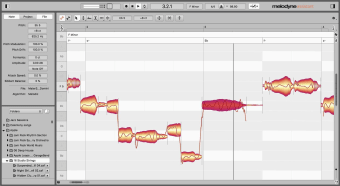
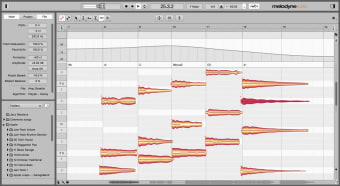
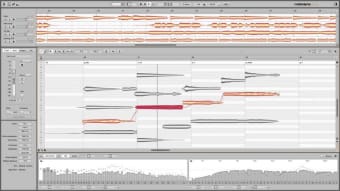
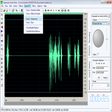
Furthermore, the interface is built around a note-based editor that displays detected notes as visual objects on a piano-roll grid. This design allows users to click, drag, stretch, and reshape notes directly, providing clear visual feedback and precise control. Advanced tools for amplitude, vibrato, and formant adjustment are readily accessible, supporting detailed and nuanced edits. However, its drawback is its steep learning curve, especially for first-time users.
Best for precise audio editing
Melodyne offers unmatched control over vocal and instrumental recordings, making it an essential tool for high-quality music production. Although this audio editing app’s depth and flexibility come with a steep learning curve, and its pricing may be a consideration for beginners, it provides a precise audio editing experience. It’s a must-try app for professionals and dedicated creators seeking precise, transparent audio editing.